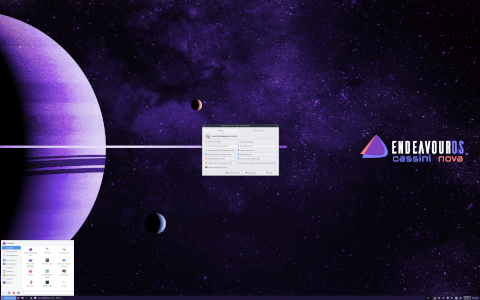
Introduction
EndeavourOS is a modern, user-friendly Linux distribution based on Arch Linux. It offers the flexibility and power of Arch while providing an accessible installation and a friendly community. In this extensive article, we will explore what EndeavourOS is, how it works, who it is oriented to, and some interesting curiosities that make it stand out in the world of Linux distributions.
What is EndeavourOS?
Origins and Background
EndeavourOS emerged in July 2019 as the spiritual successor to the now-discontinued Antergos project. When Antergos closed its doors, a group of enthusiastic contributors decided to continue the mission of delivering a smooth Arch-based experience. Since its inception, EndeavourOS has grown rapidly, attracting users who appreciate both the power of Arch Linux and a streamlined installation process.
Philosophy
The guiding philosophy of EndeavourOS can be summarized as follows:
- Arch Fundamentals: Retain the bleeding-edge, rolling-release model and adherence to the Arch Linux way.
- User-Centric Approach: Provide an installer and configuration tools that are straightforward and interactive, catering to newcomers while satisfying power users.
- Community-Driven: Foster an active and helpful community that contributes to documentation, troubleshooting, and development.
- Minimalism: Ship with a minimal base system and let users choose their components, from desktop environments to window managers and software packages.
How EndeavourOS Works
Installation Process
EndeavourOS uses the Calamares installer, which provides a graphical, step-by-step setup. It offers two main modes:
- Online Installer: Downloads packages from Arch repositories during installation, ensuring the latest software. Requires a reliable internet connection.
- Offline Installer: Installs a predefined desktop environment or window manager from included packages. Faster but may require updates post-installation.
Offline vs Online Installer
| Characteristic | Offline Installer | Online Installer |
|---|---|---|
| Internet Connection | Not required | Required |
| Package Versions | Snapshot at ISO creation | Latest from repositories |
| Speed | Faster local install | Depends on download speed |
Configuration and Package Management
After installation, EndeavourOS leverages Pacman, Arch Linux’s native package manager, for system updates and software installation. Additionally, users can install an AUR helper like yay to access the Arch User Repository (AUR), a vast collection of community-maintained packages.
Pacman
- pacman -Syu: Update system
- pacman -S ltpackagegt: Install package
- pacman -Rns ltpackagegt: Remove package and dependencies
AUR Helpers
Popular AUR helpers include yay, paru, and pikaur. These tools automate downloading, building, and installing AUR packages.
Desktop Environments and Window Managers
EndeavourOS does not impose a single desktop environment. Instead, it offers a range of official and community-supported spins:
Official Desktop Environments
- XFCE
- KDE Plasma
- GNOME
- Cinnamon
- MATE
Community Spins and Window Managers
- i3 (tiling window manager)
- Openbox
- Budgie
- Deepin
- Custom spins maintained by the community
Target Audience and Use Cases
EndeavourOS caters to a broad spectrum of users by combining Arch’s flexibility with a simplified setup. Its primary audiences include:
Beginners and Transition from Other Distros
- Users coming from Ubuntu, Fedora, or Linux Mint who want to learn more about their system.
- Individuals seeking a hands-on experience without the complexity of manual Arch installation.
Power Users and Developers
- Professionals needing the latest software and libraries.
- Developers who appreciate granular control over installed packages and system configuration.
Customization and Theming Enthusiasts
- Users who enjoy tweaking every aspect of their desktop.
- Those who maintain personalized dotfiles and advanced window manager setups.
Key Features and Benefits
Rolling Release Model
Because EndeavourOS follows Arch Linux’s rolling release, users receive continuous updates without the need for major version upgrades.
Minimal and Lightweight by Default
The base installation includes only essential packages, allowing users to build up their system as needed.
Community-Driven Support
An active forum, IRC channels, and chat rooms provide swift assistance. Community members often contribute to the official Wiki.
Extensive Documentation
The Arch Wiki, supplemented by the EndeavourOS Wiki, offers detailed guides on installation, troubleshooting, customization, and advanced topics.
Installation: Step-by-Step Overview
1. Preparing Installation Media
- Download the latest EndeavourOS ISO from the official site.
- Verify the ISO checksum for integrity.
- Create a bootable USB stick using dd, Etcher, or similar tools.
2. Booting the Installer
Boot the system in UEFI or BIOS mode, depending on your hardware. Select Start EndeavourOS from the GRUB menu.
3. Configuring System Settings
- Set keyboard layout.
- Configure network (Wi-Fi or Ethernet).
- Optionally enable offline or online installation.
4. Partitioning and File Systems
- Use guided partitioning or manual setup with GParted.
- Create EFI, root (ext4, btrfs, xfs), and optionally home partitions.
5. Package Selection and Customization
- Choose a desktop environment or window manager.
- Select additional packages (office suite, development tools, multimedia).
6. Post-Installation Tweaks
- Update the system:
pacman -Syu. - Install AUR helper:
pacman -S --needed git base-devel git clone https://aur.archlinux.org/yay.git cd yay makepkg -si. - Configure user accounts, themes, and dotfiles.
Package Management in EndeavourOS
Pacman Commands
- Install: pacman -S ltpackagegt
- Update System: pacman -Syu
- Remove: pacman -Rns ltpackagegt
- Search: pacman -Ss ltkeywordgt
AUR and Yay
To access the Arch User Repository, users typically install yay:
- pacman -S –needed git base-devel
- git clone https://aur.archlinux.org/yay.git
- cd yay makepkg -si
After installation: yay -S ltaur-packagegt, yay -Syu to update both official and AUR packages.
Software Sources and Mirrors
Efficient downloads depend on mirror selection. EndeavourOS provides Reflector or GUI tools to generate an updated mirrorlist based on speed and location.
Desktop Environments and Customization
Official Desktops
- XFCE: Lightweight, stable, and highly configurable.
- KDE Plasma: Feature-rich and visually appealing.
- GNOME: Modern, streamlined, and extensible via extensions.
- Cinnamon, MATE: Traditional layouts familiar to many users.
Window Managers
- i3: Tiling window manager optimized for keyboard-driven workflows.
- Openbox: Minimal stacking window manager with extensive theming options.
- Awesome, BSPWM: For advanced users constructing custom environments.
Themes and Dotfiles
Customization is at the heart of EndeavourOS. Users often share:
- .Xresources and polybar configurations.
- GTK and Qt themes (Arc, Adapta, Sweet).
- Shell setups: Bash, Zsh (with Oh My Zsh), Fish.
System Administration and Maintenance
Updating the System
Regular updates are crucial in a rolling release. The command:
pacman -Syu
ensures all packages are current. For AUR updates:
yay -Syu
Managing Services
- systemctl start ltservicegt
- systemctl enable ltservicegt
- systemctl status ltservicegt
Backup and Recovery
- rsync or Timeshift for system snapshots.
- GRUB recovery methods for boot issues.
- Arch Wiki solutions for common pitfalls.
Performance and Resource Usage
Lightweight Nature
A base install of EndeavourOS typically uses under 300nbspMB of RAM at idle (XFCE). This makes it suitable for older hardware or resource-constrained environments.
Benchmarks and Comparisons
| Distribution | Desktop | Idle RAM Usage | Startup Time (s) |
|---|---|---|---|
| EndeavourOS | XFCE | 280nbspMB | 12 |
| Ubuntu | GNOME | 900nbspMB | 18 |
| Manjaro | KDE Plasma | 500nbspMB | 14 |
Community and Support
Official Forum and Platforms
- EndeavourOS Forum: community-driven QampA and announcements.
- Discord and Telegram channels for real-time help.
- IRC (#endeavouros on Libera.Chat).
Wiki and Documentation
The EndeavourOS Wiki complements the Arch Wiki, providing distro-specific guides and troubleshooting tips.
Social Media and Events
- Reddit community: /r/EndeavourOS
- Monthly livestreams and development updates on YouTube.
- Community meetups and hackathons in various regions.
Curiosities and Trivia
Name Origin
The name “EndeavourOS” symbolizes a continuous journey of learning and discovery. It reflects the project’s commitment to guiding users through the archipelago of Linux possibilities.
Mascot
The official mascot is a stylized arched archway, representing both the Arch Linux foundation and a gateway to customization. Community artists often create themed wallpapers and icons featuring this motif.
Notable Community Events
- Community Spotlight: Monthly blog highlighting outstanding community setups.
- Release Announcements: Coordinated livestreams discussing new ISO features.
- Workshops: Virtual sessions on mastering Pacman, AUR, and advanced theming.
Conclusion
EndeavourOS marries the power and flexibility of Arch Linux with a user-friendly installer, minimal default setup, and a robust community. Whether you are a seasoned Linux enthusiast or a newcomer seeking to learn the intricacies of your system, EndeavourOS provides the tools, documentation, and support to craft a personalized computing experience. Embrace the rolling release model, explore countless desktop environments and window managers, and become part of a vibrant community dedicated to the spirit of open source.
Leave a Reply