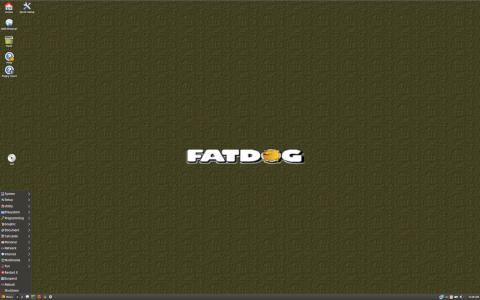
What is Fatdog64 Linux?
Fatdog64 Linux is a minimalist, yet powerful, distribution designed for advanced users seeking a compact and efficient 64-bit operating system. Originating from the Puppy Linux family, Fatdog64 focuses on delivering a fully featured desktop environment without sacrificing performance or small footprint. Unlike many mainstream distributions, Fatdog64 is optimized to run entirely in RAM, enabling lightning-fast operation on both modern and legacy hardware.
How Fatdog64 Linux Works
Core Architecture and Design Philosophy
Fatdog64 follows a modular design that separates the core system from user-installed packages. This modularity allows users to customize their environment precisely while retaining a reliable base. Key elements of the architecture include:
- 64-Bit Core: Built exclusively for x86_64 systems, ensuring full utilization of modern processors and addressing large memory spaces.
- Ram-Based Operation: Loads entirely into RAM at boot, freeing the boot media (USB or CD) for other uses and delivering exceptional speed.
- Overlay File System: Utilizes unionfs or aufs to merge a read-only base image with a writable layer, preserving the pristine base while allowing full user customization.
- Minimal Dependencies: Core packages are kept to a minimum, reducing conflicts and simplifying upgrades.
Boot Process
Fatdog64’s bootloader typically resides on a USB stick or optical disc. During startup, the following steps occur:
- Initialization of the kernel and detection of hardware.
- Loading of the base SFS (SquashFS image) into RAM as a read-only layer.
- Creation of a writable overlay in RAM for user changes and temporary files.
- Automatic detection of persistence files (optional), allowing storage of settings and installed packages across reboots.
- Launch of the desktop environment (IceWM or JWM by default) with preconfigured utilities.
Package Management and Software Installation
Fatdog64 uses a combination of Pet packages (PET) borrowed from Puppy Linux and its own repository format (SFS and DOTS). The packaging approach emphasizes simplicity:
- PET Packages: Traditional Puppy binary packages, easily installable via the Package Manager.
- SFS Modules: SquashFS images that can be loaded or unloaded at runtime, offering an entire application suite without modifying the base file system.
- DOTS Overlay: A custom technique where active packages and user files are tracked within an organized directory structure, simplifying uninstallation and upgrades.
Installation steps for a new application generally involve:
- Launching the Package Manager GUI or using the pkg command-line tool.
- Selecting the desired PET or SFS file from local storage or remote repository.
- Accepting dependencies, which are resolved automatically by the Package Manager.
- Completing installation, after which the application is immediately available in the menu.
Orientation and Target Audience
Fatdog64 is crafted for users who demand high performance in a lightweight environment. Its primary target audiences include:
- Power Users and Developers: Those who appreciate direct control over system components and prefer a no-bloat approach.
- Legacy Hardware Enthusiasts: Users who want to breathe new life into older machines by running a modern 64-bit OS with minimal resource demands.
- Live CD/USB Operators: Professionals requiring a portable, fully functional environment that can boot on virtually any x86_64 hardware.
- Embedded Systems Integrators: Developers embedding Linux in specialized appliances where footprint and speed are critical.
Primary Use Cases
- System Rescue and Maintenance: Tools for disk partitioning, data recovery, and network diagnostics are included out-of-the-box.
- Software Development: Compilers, editors, and scripting languages are available via PET and SFS modules.
- Multimedia Workstation: Lightweight audio and video applications can be loaded as SFS modules on demand.
- Server Deployment: Though not a traditional server OS, Fatdog64 can run sshd, HTTP servers, and container engines in headless mode.
Curiosities and Unique Features
Innovative Memory Management
Fatdog64’s reliance on RAM offers numerous benefits:
- Speed: Applications launch nearly instantaneously once loaded into memory.
- Persistence Flexibility: Users can choose between a fully non-persistent session or create a save file that stores changes.
- Stateless Base: Reverting to a clean state is as easy as removing the persistence file or rebooting without it.
Custom Kernel Options
Users may select from a variety of precompiled kernels optimized for different hardware profiles:
- Standard Kernel: Balanced for compatibility and performance.
- Bigmem Kernel: Supports systems with over 4 GB of RAM.
- Low-latency Kernel: Tuned for multimedia and real-time applications.
Community and Development Model
Fatdog64 is developed by a small team of enthusiasts, led by its original architect. Its community-driven approach includes:
- Transparent issue tracking via the Git repository: https://git.fatdog64.org
- Community forums and mailing lists where users propose features and report bugs.
- Periodic releases labeled by version number and codename, with changelogs documenting improvements.
Version History Highlights
- Fatdog64 700 Series: Introduced full UEFI support and 4K display enhancements.
- Fatdog64 800 Series: Added advanced packet manager with GUI refresh and SFS integration improvements.
- Fatdog64 900 Series (Current): Focus on hardware compatibility, faster boot times, and updated desktop environment components.
Comparison Table
| Aspect | Fatdog64 | Typical Mainstream Distro |
|---|---|---|
| Footprint | Under 600 MB live image | 1.5–4 GB live image |
| Memory Usage | Runs entirely in RAM, ~200–300 MB idle | Swapping, 500–1000 MB idle |
| Package Format | PET, SFS, DOTS overlay | DEB, RPM, or custom |
| Boot Options | BIOS and UEFI, USB persistence | BIOS and UEFI, varied persistence |
| Community Size | Small, focused | Large, diverse |
Performance Benchmarks
Though specific benchmarks vary by hardware, general observations include:
- Boot Time: Approximately 15–25 seconds on modern SSD setups.
- Application Launch: Mid‐weight editors like Geany open in under one second once loaded as SFS.
- System Responsiveness: Maintains sub-100 ms window switching times, even with multiple overlays.
Curiosities and Lesser-Known Facts
- SQLite-Based Desktop Menu: Uses a lightweight database for menu entries, speeding up search operations.
- Modular Init Scripts: Init.d scripts can be enabled or disabled at runtime, allowing rapid service reconfiguration.
- Optional Multilanguage Support: Language packs can be loaded as separate SFS modules, keeping the base image monolingual.
- Minimal Logging: By default, only critical logs are stored, reducing disk writes and prolonging flash media life.
Getting Started with Fatdog64
System Requirements
- 64-bit x86 processor.
- 512 MB RAM (1 GB recommended for comfortable desktop use).
- 200 MB free space on USB or optical drive.
Installation Steps
- Download the ISO image from a mirror or the official site.
- Write the image to a USB stick using tools like dd or Rufus.
- Boot from the USB stick, choosing BIOS or UEFI mode as appropriate.
- Optional: Create a persistence file to save settings across sessions.
- Explore the desktop, software manager, and control panel to customize your experience.
Conclusion
Fatdog64 Linux stands out in the landscape of lightweight distributions by offering a fully 64-bit, RAM-based environment that balances minimalism with a comprehensive feature set. Its unique combination of PET and SFS packaging, modular overlay file system, and speed-oriented design make it an excellent choice for power users, developers, and those breathing new life into older hardware. Through an active but focused community and continuous development, Fatdog64 remains at the forefront of compact, high-performance Linux distributions.
Sources:
- https://git.fatdog64.org
- https://en.wikipedia.org/wiki/Fatdog64
Leave a Reply