Introduction
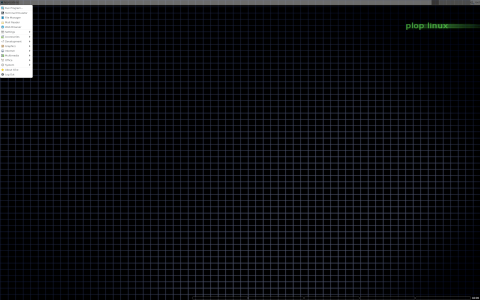
Plop Linux is a lightweight, flexible, and versatile distribution designed to meet the needs of system administrators, enthusiasts, and users who require a compact rescue and installation environment. This article delves into what Plop Linux is, how it works, its primary orientations and use cases, as well as several intriguing curiosities about its design and development.
What Is Plop Linux?
Origin and Purpose
Plop Linux was created as part of the Plop project, which initially focused on providing a specialized boot manager (Plop Boot Manager). Over time, developers extended the project to include a fully functional live distribution. The key goals were:
- To provide a minimal environment for system rescue, testing, and maintenance.
- To supply a flexible toolkit that loads on a wide range of hardware, including legacy machines.
- To integrate seamlessly with the Plop Boot Manager for enhanced boot capabilities.
Core Components
The distribution comprises several core components:
- Linux Kernel: A customized, optimized kernel for broad hardware compatibility.
- BusyBox: Provides essential Unix utilities in a single binary.
- Init System: A simple init script approach to boot quickly into a live environment.
- Bootstrap Tools: Scripts to mount drives, configure networking, and load modules.
- GUI and CLI Utilities: A selection of graphical and command-line tools for disk management, network diagnostics, and system rescue.
How Plop Linux Works
Boot Process
The boot process in Plop Linux is designed for speed and robustness:
- BIOS/UEFI Initialization: The hardware initializes and hands control to the bootloader.
- Plop Boot Manager (Optional): If installed, it provides advanced options such as USB booting on systems that lack native support.
- Kernel Loading: The Linux kernel and initial ramdisk (initrd) are loaded into memory.
- Initrd Execution: The initial ramdisk sets up essential devices and mounts the compressed root filesystem.
- Pivot to Root: Control transfers to the new root filesystem and the main init scripts run.
- Service Initialization: Network interfaces are brought up, filesystems are scanned/mounted, and user tools become available.
Live Environment and Persistence
By default, Plop Linux runs as a live system, meaning changes are not stored permanently unless configured. Persistence can be enabled by:
- Creating a persistence file on a USB stick.
- Adding custom scripts to
/etc/init.dto save configurations. - Mounting an external storage device at boot time.
This allows users to carry personalized tools, logs, or configurations across different systems.
Hardware and Filesystem Support
Plop Linux includes a broad range of modules and drivers:
- Disk controllers (IDE, SATA, SCSI).
- USB 1.1, 2.0, and 3.0 support via xhci, ehci, and uhci/ohci drivers.
- Network adapters (Ethernet and selected Wi-Fi chipsets).
- Filesystems: Ext2/3/4, FAT12/16/32, NTFS (read-only), ISO9660, and more.
Orientation and Use Cases
System Rescue and Recovery
One of Plop Linux’s primary orientations is rescue. It contains essential tools such as:
- dd and parted for disk imaging and partitioning.
- TestDisk and Photorec for data recovery.
- fsck for filesystem repair.
- chroot support to repair or reinstall bootloaders like GRUB or LILO.
Installation and Deployment
Though not a full desktop distribution, Plop Linux can install software packages from its repository or external sources. Typical tasks include:
- Deploying minimal servers.
- Installing network services such as SSH, FTP, or HTTP for temporary needs.
- Performing automated deployment via custom scripts.
Boot Enhancement and Legacy Support
With the inclusion of the Plop Boot Manager, users can:
- Boot from USB on old BIOS-only machines.
- Select between multiple operating systems or partitions.
- Customize boot entries and order.
This makes Plop Linux particularly valuable for upgrading legacy hardware or for environments where USB boot support is limited.
Education and Experimentation
Because of its compact size and open design, Plop Linux is an excellent tool for:
- Learning about Linux boot processes and init scripts.
- Testing kernel modules and hardware compatibility.
- Developing and debugging custom scripts in a minimal environment.
Features at a Glance
| Feature | Description | Benefit |
|---|---|---|
| Small Footprint | Less than 100 MB ISO size | Fast downloads, quick boot times, fits on minimal storage |
| Plop Boot Manager | Advanced bootloader with USB support | Boot from USB on unsupported BIOS, multi-boot control |
| Hardware Compatibility | Wide range of drivers included | Supports old and new hardware without manual module addition |
| Rescue Tools | Disk utilities, data recovery, network tools | Efficient system repair and maintenance |
| Live with Persistence | Optional writable overlay or file-based persistence | Carry configurations and logs between boots |
Installation and Usage
Downloading and Creating Media
- Visit the official website and download the latest ISO:
https://www.plop.at/en/linux.html. - Burn the ISO to CD/DVD or write it to a USB stick using tools like dd or Rufus.
- If using a USB stick, you can enable persistence by creating a
persistence.datfile and adding it to the boot parameters.
Booting Plop Linux
Upon boot, you’ll see a simple menu offering options such as:
- Default Live Mode: Loads the desktop and tools automatically.
- Command-Line Only: Boots into a shell for advanced operations.
- Safe Mode: Loads minimal drivers for problematic hardware.
- Plop Boot Manager: If installed, offers USB, CD, and HDD boot options.
Basic Usage Examples
Mounting and Inspecting a Hard Drive
- Identify the device:
# fdisk -l - Create a mount point:
# mkdir /mnt/target - Mount the partition:
# mount /dev/sda1 /mnt/target - Inspect or repair filesystems:
# fsck.ext4 /dev/sda1
Recovering Lost Data
- Install or load TestDisk:
# apt-get update apt-get install testdisk - Run TestDisk:
# testdisk - Follow the guided menu to analyze and recover partitions or files.
Curiosities and Lesser-Known Facts
- Origin of the Name: “Plop” is believed to mimic the sound of dropping something small, echoing the project’s goal of being small yet effective.
- Modular Design: The distribution can be built from scratch using the project’s mkplop scripts, allowing complete customization of included packages and kernel options.
- Commercial Use: Some IT support companies bundle Plop Linux with their diagnostic kits, praising its speed and versatility.
- Live CD Community: Although many live CDs exist, Plop Linux stands out for integrating its own boot manager rather than relying on standard boot configurations.
- Cross-Platform Testing: Developers frequently test new Plop Linux releases on rare or obsolete hardware, such as Pentium II machines, to ensure backward compatibility.
Comparison with Similar Distributions
| Distribution | ISO Size | Primary Use | Boot Manager |
|---|---|---|---|
| Plop Linux | ~90 MB | Rescue Boot Enhancement | Integrated Plop Boot Manager |
| SystemRescue | ~860 MB | Advanced Rescue Backup | Standard ISOLINUX |
| Hiren’s BootCD PE | ~1.5 GB | Windows PE Tools | Grub4Dos |
| Ubuntu Live | ~2.5 GB | Desktop Experience | GRUB2/ISOLINUX |
Conclusion
Plop Linux is a compact, efficient, and highly portable distribution tailored for system rescue, boot management, and educational purposes. Its integration with the Plop Boot Manager sets it apart from many other live distributions, particularly on legacy hardware. With a minimal footprint, broad hardware support, and flexible persistence options, Plop Linux remains a valuable tool for IT professionals, hobbyists, and educators alike.
Leave a Reply