Introduction
Ubuntu is one of the most popular and accessible Linux distributions in the world. Since its inception, it has aimed to bring free, open-source software to desktops, servers, and cloud environments alike. In this extensive article, you will discover what Ubuntu is, how it works, what it is oriented to and a collection of intriguing curiosities that make Ubuntu stand out in the Linux ecosystem.
What Is Ubuntu?
Definition
Ubuntu is a free and open-source operating system based on Debian GNU/Linux. It is designed to be user-friendly, secure, and robust. The name “Ubuntu” comes from a Southern African philosophy that translates roughly to “humanity towards others” or “I am because we are,” reflecting the project’s commitment to community and collaboration.
Historical Background
- Initial Release: Ubuntu was first released in October 2004 by Canonical Ltd., founded by entrepreneur Mark Shuttleworth.
- Debian Roots: While Ubuntu shares many of Debian’s packages and design principles, it adds its own release and support cycle.
- Release Cadence: Ubuntu follows a predictable six-month release cycle, with Long Term Support (LTS) versions every two years.
- Community-Driven: Thousands of community contributors help develop, test, document, and support Ubuntu worldwide.
Core Components
- Linux Kernel: The core of Ubuntu, responsible for managing hardware and system resources.
- GNU Utilities: Tools and libraries that provide essential system functions, such as file manipulation and text processing.
- Desktop Environments: Options like GNOME (default), KDE, XFCE, and others for graphical user interfaces.
- Package Management: APT (Advanced Package Tool) and dpkg for installing, updating, and removing software.
How Ubuntu Works
Kernel and System Architecture
Ubuntu uses the monolithic Linux kernel, which handles low-level tasks like process scheduling, memory management, device drivers, and system security. The architecture follows the standard Linux layout:
- Kernel Space: Executes privileged code like device drivers.
- User Space: Runs applications and user-level services, isolated from the kernel for stability and security.
Modular Design
Ubuntu’s kernel is modular, allowing components to be loaded and unloaded as needed. This reduces memory footprint and enables dynamic hardware support.
Package Management and Repositories
Ubuntu’s package management system is centered around the APT tool and dpkg:
- APT handles dependency resolution automatically.
- dpkg performs low-level package installation and removal.
Software Repositories
- Main: Officially supported open-source software.
- Universe: Community-maintained open-source packages.
- Restricted: Proprietary drivers and firmware.
- Multiverse: Software with licensing restrictions.
These repositories ensure that users can install thousands of applications, libraries, and tools securely and efficiently.
Desktop Environment and User Interface
The default desktop environment for Ubuntu is GNOME, offering a clean, intuitive interface:
- Activities Overview: For launching applications and switching between windows.
- Dash: Quick access to frequently used apps.
- Workspace Management: Virtual desktops to organize tasks.
Alternative flavors provide different environments:
- Ubuntu MATE (MATE desktop)
- Kubuntu (KDE Plasma)
- Xubuntu (XFCE)
- Lubuntu (LXQt)
System Services and Daemons
Ubuntu uses systemd as its init system, which:
- Handles system boot and shutdown processes.
- Manages services (daemons) with unit files.
- Facilitates parallel service startup for faster boot times.
Services like network management, printing, and logging run in the background to provide a seamless user experience.
What Ubuntu Is Oriented To
Ubuntu offers tailored editions and features for various usage scenarios. Below are the primary orientations:
Desktop Edition
Designed for everyday users, students, and professionals who need:
- A friendly graphical interface.
- Office suites, multimedia tools, and web browsers.
- Easy installation of additional software via the Snap Store and APT.
Server Edition
Optimized for:
- Web, mail, database, and file servers.
- LTS support cycles up to five years for stability.
- Cloud platform integration (OpenStack, Kubernetes).
Key Features
- Minimal Installation Option: For headless or lightweight setups.
- Prepackaged Server Roles: Easy deployment of Nginx, Apache, MySQL, PostgreSQL, and more.
Cloud and Virtualization
Ubuntu is a leading choice for cloud infrastructures:
- Official Images: Available for AWS, Azure, Google Cloud, and more.
- Containerization: Support for Docker, LXC/LXD.
- Orchestration: Kubernetes distributions like MicroK8s and Juju charms.
Internet of Things (IoT) and Edge Computing
With Ubuntu Core and Snap packages, Canonical targets embedded devices:
- Ubuntu Core: A minimal, transactional OS with enhanced security.
- Snaps: Containerized applications that auto-update and roll back.
- Edge Automation: Tools for managing fleets of devices remotely.
Education and Collaborative Projects
Ubuntu is frequently used in schools, research labs, and collaborative settings for:
- Teaching programming, system administration, and open-source principles.
- Supporting scientific computing with packages like R, Python, Julia, and Octave.
- Facilitating distributed projects via shared repositories and collaborative platforms.
Curiosities and Interesting Facts
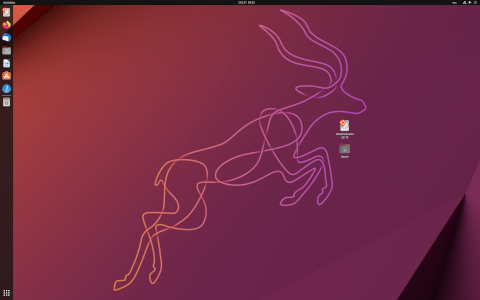
- Codename Tradition: Each release has an adjective animal codename, e.g., “Focal Fossa” (20.04 LTS), “Groovy Gorilla” (20.10).
- Artwork Community: Thousands of contributors submit wallpapers, themes, and icon sets for each release.
- Snap vs. Deb: Canonical introduced Snap packages in 2016, aiming for greater security and universal compatibility across distributions.
- LTS Popularity: LTS releases (e.g., 18.04, 20.04, 22.04) power many critical systems due to their extended maintenance periods.
- Ubuntu Touch: A mobile OS variant developed by the UBports community, focused on convergence (same OS on phone and desktop).
- Minimal ISO: A tiny installer image (<50 MB) that downloads only required packages during installation, ideal for custom setups.
- Ubuntu in Space: NASA has used Ubuntu on systems aboard the International Space Station for experiments and outreach.
- Multi-arch Support: Provides packages for multiple CPU architectures, including x86_64, ARM64, PowerPC, and more.
- Accessibility: Built-in screen readers, magnifiers, on-screen keyboards, and other assistive technologies for users with disabilities.
- Contribution Summits: Canonical hosts global and regional Ubuntu summits, fostering face-to-face collaboration among developers and enthusiasts.
Comparison Table of Recent Ubuntu Versions
| Version | Codename | Release Date | Support Duration | Key Features |
|---|---|---|---|---|
| 18.04 LTS | Bionic Beaver | April 2018 | 5 years | GNOME 3.28, kernel 4.15, minimal install |
| 20.04 LTS | Focal Fossa | April 2020 | 5 years | GNOME 3.36, kernel 5.4, ZFS support |
| 20.10 | Groovy Gorilla | October 2020 | 9 months | GNOME 3.38, improved Bluetooth, new Yaru theme |
| 22.04 LTS | Jammy Jellyfish | April 2022 | 5 years | GNOME 42, Wayland by default, LibreOffice on Snap |
Conclusion
Ubuntu has grown from a desktop-focused Linux distribution to a versatile platform supporting desktops, servers, cloud, IoT, and beyond. Its emphasis on usability, security, and community collaboration has made it a top choice for beginners and professionals alike. With a predictable release cycle, extensive documentation, and an ever-expanding ecosystem of software, Ubuntu continues to shape the landscape of open-source computing around the globe.
Leave a Reply