Introduction
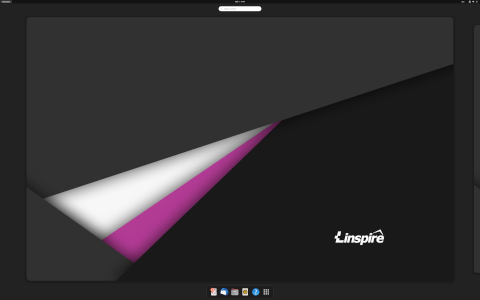
Linspire OS is a Linux-based operating system designed to provide an intuitive, user-friendly experience for newcomers and experienced users alike. Originally launched as Lindows in 2001, Linspire has evolved through community feedback and corporate stewardship into a polished desktop environment that balances ease of use with powerful open-source capabilities. This article explores what Linspire OS is, how it works, its target orientation, and several curiosities that set it apart in the crowded landscape of desktop Linux distributions.
Linspire distinguishes itself by combining a familiar Windows-like interface with the stability and security of Linux. Through a combination of proprietary and open-source software, it aims to remove common barriers to adoption for users migrating from other operating systems.
What is Linspire OS?
Origin and History
The journey of Linspire OS began under the name Lindows, founded by Michael Robertson in 2001. The primary goal was to develop a system capable of running Windows applications natively on Linux. A legal dispute with Microsoft over the “Windows” trademark led to a rebranding as Linspire in 2004. Over time, Linspire shifted focus from Windows compatibility layers to creating a complete desktop solution. Key milestones include:
- 2001: Lindows beta released.
- 2004: Rebranded as Linspire after settling with Microsoft.
- 2007: Acquisition by Xandros, leading to mixed reactions in the community.
- 2018: Revival under new management, reintroducing Linspire as a modern, subscription-based desktop OS.
Design Philosophy
Linspire OS adheres to a design philosophy centered on accessibility, stability, and openness. Its core principles include:
- Ease of Use: A graphical installer and intuitive system settings panel remove common hurdles for new users.
- Compatibility: Seamless support for Windows file systems (NTFS) and popular multimedia codecs out of the box.
- Security: Regular security updates and built-in firewall management ensure a safer computing environment.
- Flexibility: A hybrid model combining proprietary drivers and codecs with open-source components caters to a wide range of hardware.
Features
Linspire OS offers a rich feature set tailored to a broad user base:
- Graphical Installer: A step-by-step wizard simplifies partitioning, package selection, and user configuration.
- CNR Software Center: “Click-N-Run” enables one-click installation and removal of applications, mirroring app store functionality.
- Custom Desktop Environment: A modified version of KDE Plasma that mimics a traditional desktop layout with a start menu, taskbar, and system tray.
- Preconfigured Multimedia Support: Includes support for MP3, DVD playback, Flash, and other restricted formats without manual setup.
- Commercial Support: Subscription-based offerings provide technical support, extended hardware compatibility, and enterprise features.
User Interface
Linspire’s desktop interface is crafted for familiarity:
Start Menu and Taskbar
The start menu categorizes applications into logical groups such as Office, Internet, Multimedia, and System Tools. The taskbar features quick-launch icons and a system tray for notifications, volume control, and network management.
Workspace Management
Multiple virtual desktops allow users to organize tasks by project or workflow. Keyboard shortcuts and a workspace pager grant smooth transitions between tasks.
How It Works
Underlying Technologies
Linspire OS is built on a stable Debian base, ensuring access to a vast repository of packages and security updates. Key components include:
- Linux Kernel: Customized to include proprietary drivers where necessary for enhanced hardware support.
- Debian Packaging System: Utilizes .deb packages and the Advanced Packaging Tool (APT) for dependency resolution and installation.
- Systemd: Manages services and system initialization for fast boot times and granular control.
- Open-source Core: Libraries, utilities, and desktop applications originate from mainstream open-source projects.
Package Management
Linspire combines traditional APT tools with its proprietary CNR (Click-N-Run) interface:
- APT Command Line: Users comfortable with terminal operations can install, remove, and upgrade packages using apt-get or apt.
- CNR Graphical Client: Simplifies discovery, installation, and updating of software, displaying ratings, descriptions, and screenshots.
- Repositories: Official Linspire repositories host curated packages, while standard Debian repositories provide additional software options.
Target Audience and Orientation
Linspire aims to serve various user segments by balancing ease of use with enterprise-grade features.
Home and Casual Users
For those seeking a PC alternative, Linspire offers:
- Preinstalled office suites, media players, and web browsers.
- Seamless multimedia support without manual codec installation.
- Simple update management and system maintenance tools.
Small Businesses and Education
Linspire caters to budget-conscious organizations by providing:
- Cost-effective licensing and subscription models.
- Centralized update servers and deployment tools.
- Compatibility with networked printers, scanners, and POS devices.
Developers and Power Users
Advanced users benefit from:
- Access to Debian’s vast software library.
- Preconfigured development environments for languages such as Python, Java, and C/C .
- Support for virtualization technologies (KVM, VirtualBox).
Curiosities and Interesting Facts
Windows Compatibility Experimentation
While early versions of Linspire focused heavily on running Windows applications through Wine and proprietary emulation layers, the current strategy emphasizes native Linux solutions combined with cross-platform web apps.
Community Contributions
Linspire encourages community involvement by:
- Hosting forums and mailing lists for user support and idea exchange.
- Publishing source code for proprietary components under restrictive licenses to foster collaboration.
- Organizing annual events and hackathons to innovate desktop Linux usability.
Unique Add-ons
Linspire OS features several exclusive utilities:
- Linspire Update Scheduler: Automates system backups and schedules updates during idle periods.
- Freespire Components: Freely available subsets of Linspire software designed for community-driven editions.
- Linwatch Security Monitor: Monitors system logs and alerts users to unusual activity via desktop notifications.
Version Comparison
| Version | Release Date | Notable Features |
|---|---|---|
| Linspire 1.0 | May 2002 | Initial GUI installer, basic CNR, Wine integration |
| Linspire 5.0 | June 2007 | KDE 3.5 desktop, improved multimedia codecs, Windows interoperability |
| Linspire 8.0 | March 2018 | KDE Plasma 5, subscription support, refreshed CNR client |
| Linspire 9.0 | September 2020 | Systemd enhancements, UEFI Secure Boot support, Wayland session |
Conclusion
Linspire OS bridges the gap between proprietary desktop environments and the open-source world by offering a familiar, hassle-free user experience layered on top of a reliable Linux core. Its emphasis on multimedia readiness, software discovery via CNR, and commercial support options make it a compelling choice for home users, businesses, and educational institutions. With a storied history that includes legal battles, corporate acquisitions, and community revivals, Linspire continues to evolve. Whether you are migrating from another operating system or exploring Linux for the first time, Linspire OS presents a balanced, well-rounded platform.
Sources:
http://www.linspire.com
http://distrowatch.com/linspire
Leave a Reply