Introduction
Tuxtrans is an integrated, free and open source distribution specifically designed to facilitate translation and localization tasks. It bundles a selection of translation memory tools, terminological databases, spell checkers, machine translation engines and document filters into a unified, user-friendly platform. With a strong focus on stability, reproducibility and ease of use, Tuxtrans aims to serve professional linguists, translators, localization engineers and organizations seeking an all-in-one solution for multilingual content processing.
What is Tuxtrans?
Overview and Purpose
Tuxtrans acts as a specialized Linux distribution based on popular stable releases. It brings together the most widely used computer-assisted translation (CAT) tools, localization utilities and quality assurance programs under one roof. Unlike general-purpose operating systems where users must individually install, configure and maintain each piece of software, Tuxtrans offers preconfigured tools that work out of the box. This approach reduces overhead for translators and localization teams, allowing them to focus on linguistic quality and productivity rather than system administration.
Historical Background
Originally conceived in the early 2010s, Tuxtrans emerged from the need for a reliable environment suited to translation professionals. Many users experimented with various Linux distributions, constantly updating and tweaking configurations to achieve interoperability among diverse tools. The Tuxtrans project consolidated these efforts, delivering a stable, curated distribution that received continuous updates and community contributions. Over successive releases, Tuxtrans has incorporated improvements in localization pipelines, added support for emerging file formats and fine-tuned the user interface to align with industry workflows.
How Tuxtrans Works
System Architecture
At its core, Tuxtrans employs a monolithic distribution model, where the operating system kernel, middleware and application stack are integrated into a single deliverable ISO. This design ensures that all components share compatible dependencies and library versions, minimizing conflicts and unexpected behavior. Key elements include:
- Linux Kernel optimized for translation workloads and real-time usability.
- GTK and Qt Libraries for graphical interfaces in CAT tools.
- Python, Perl and Java Runtimes to support scriptable utilities and plugin architectures.
Core Components
- OmegaT: An established open source CAT tool featuring translation memory, glossary and fuzzy match support.
- Okapi Framework: A set of Java-based utilities for file filtering, segmentation and quality assurance checks.
- MemoQ and Wordfast Lite (portable versions): Popular desktop CAT tools included for comparative purposes.
- LanguageTool: A rule-based grammar, style and spell checker for multiple languages.
- Apertium and Moses: Machine translation engines to assist with draft translations and language pair experimentation.
- Glossary Editors, QA Distiller and Spell-checking Dictionaries for industry-level validation.
Workflow
A typical Tuxtrans workflow unfolds in stages:
- Preparation: Import source documents in various formats (XLIFF, PO, DOCX, HTML, XML). The Okapi filters convert them into a standardized internal format.
- Translation: Use CAT tools such as OmegaT or MemoQ to segment text, leverage translation memory and build terminology databases.
- Quality Assurance: Run QA checks using integrated LanguageTool rules and Okapi-based scripts to detect inconsistencies, untranslated segments, tag mismatches and style deviations.
- Post-processing: Export translated files back to original formats, reinsert localized resources and perform final reviews.
- Machine Translation Assistance: Optionally generate initial MT drafts with Apertium or Moses, then post-edit within the CAT environment.
User Interface and Tools
While much of Tuxtrans is operated via graphical user interfaces, command-line utilities play a crucial role in batch processing and automation. The distribution includes:
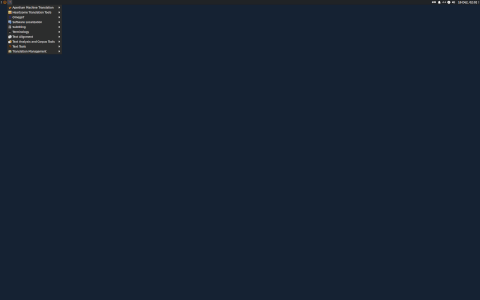
- GUI Launchers for each CAT tool, with menu entries and desktop shortcuts.
- Terminal Shortcuts for script-based workflows: trados-filter, okapi-run and mt-batch.
- Customization Scripts allowing advanced users to tailor environment variables, default memory paths and extension settings.
Target Audience and Orientation
Tuxtrans is designed to meet the needs of a diverse user base:
Professional Translators
Freelance translators and small agencies gain immediate access to multiple CAT systems without licensing costs. They can evaluate, compare and switch between tools based on project requirements.
Organizations and Companies
Enterprises engaged in software localization, technical writing or marketing translation appreciate Tuxtrans’s reproducibility and ease of deployment across entire teams. The distribution can be installed on virtual machines or network images to ensure consistent environments.
Academic Use
Universities and research institutions incorporate Tuxtrans into translation technology courses, enabling students to gain hands-on experience with industry standards, open source CAT tools and quality assurance frameworks.
Key Features
Features Table
| Feature | Description | Benefit |
|---|---|---|
| Preconfigured CAT Suite | OmegaT, MemoQ Lite, Wordfast Lite | Quick start without manual setup |
| Machine Translation Engines | Apertium, Moses | Draft translation generation |
| Quality Assurance Tools | LanguageTool, Okapi checks | Automated error detection |
| Terminology Management | Glossary editors, TBX support | Consistent term usage |
| File Format Filters | DOCX, PPTX, HTML, XML, XLIFF, PO | Seamless import/export |
| Automation Scripts | Batch processing templates | Improved productivity |
Supported Formats and File Types
Tuxtrans handles a broad spectrum of document types. Among them:
- XLIFF (all versions)
- PO and POT files
- Microsoft Office (DOCX, XLSX, PPTX)
- HTML, XML and DITA
- Resource files (.resx, .properties, .ts)
- Plain text and markdown derivatives
Installation and Setup
Requirements
- 64-bit PC with at least 4 GB RAM (8 GB recommended)
- 20 GB free disk space
- USB drive or DVD burner for installation media
- Internet connection for post-install updates
Installation Steps
- Download the latest ISO image from the official project page.
- Create a bootable USB drive using tools like dd or Rufus.
- Boot from the USB and follow the graphical installer prompts.
- Choose disk partitioning scheme (alongside existing OS or dedicated disk).
- Complete installation, reboot and log in with default credentials.
- Run update scripts to fetch the latest versions of CAT tools and dictionaries.
Curiosities and Lesser-Known Facts
- Name Origin: The “Tux” in Tuxtrans refers to the Linux mascot, while “trans” signifies translation.
- Live Mode: It can run as a live system straight from USB, allowing users to test without modifying their hard drive.
- Portable Profile: User settings and translation memories can be stored on a separate partition for seamless transfer between installations.
- Custom Toolchain: Enthusiasts have extended Tuxtrans with neural MT engines like Marian NMT, demonstrating its modularity.
- Language Coverage: Despite being community-driven, Tuxtrans supports over 50 language pairs out of the box.
Community and Development
Open Source Philosophy
Tuxtrans embraces the principles of open source software: transparency, collaboration and free distribution. All components are licensed under compatible open source licenses, allowing audits, modifications and redistribution.
Contribution and Governance
The project is maintained by a small core team, supplemented by volunteer contributors worldwide. Translation professionals, developers and quality assurance experts submit bug reports, patches and improvement ideas via a public issue tracker. Periodic releases follow a coordinated schedule to integrate major upstream updates while preserving system stability.
Advantages and Limitations
- Advantages:
- Comprehensive out-of-the-box solution
- No licensing fees for included CAT tools
- Consistency across team environments
- Strong QA and automation capabilities
- Limitations:
- Learning curve for Linux newcomers
- Potential hardware compatibility issues
- Smaller community compared to mainstream distributions
- Less frequent major updates to avoid breakage
Conclusion
Tuxtrans stands out as a purpose-built, open source translation environment that streamlines the localization process. By integrating proven CAT tools, machine translation engines and quality assurance frameworks into a single distribution, it reduces setup complexity and fosters collaborative workflows. Whether used by freelance translators, localization departments or academic programs, Tuxtrans delivers a reliable platform that balances flexibility with stability. As the global demand for multilingual content continues to grow, Tuxtrans offers an accessible, community-oriented solution to meet diverse translation and localization challenges.
Sources and Further Reading:
- https://www.tuxtrans.org
- https://okapi-framework.org
- https://omegat.org
Leave a Reply